Download the Larix App
Android: Download from Google Play
Import Live Stream Settings
1. Complete Pre-Live Checklist
Please refer to: Mobile Live Streaming Tips and FAQs
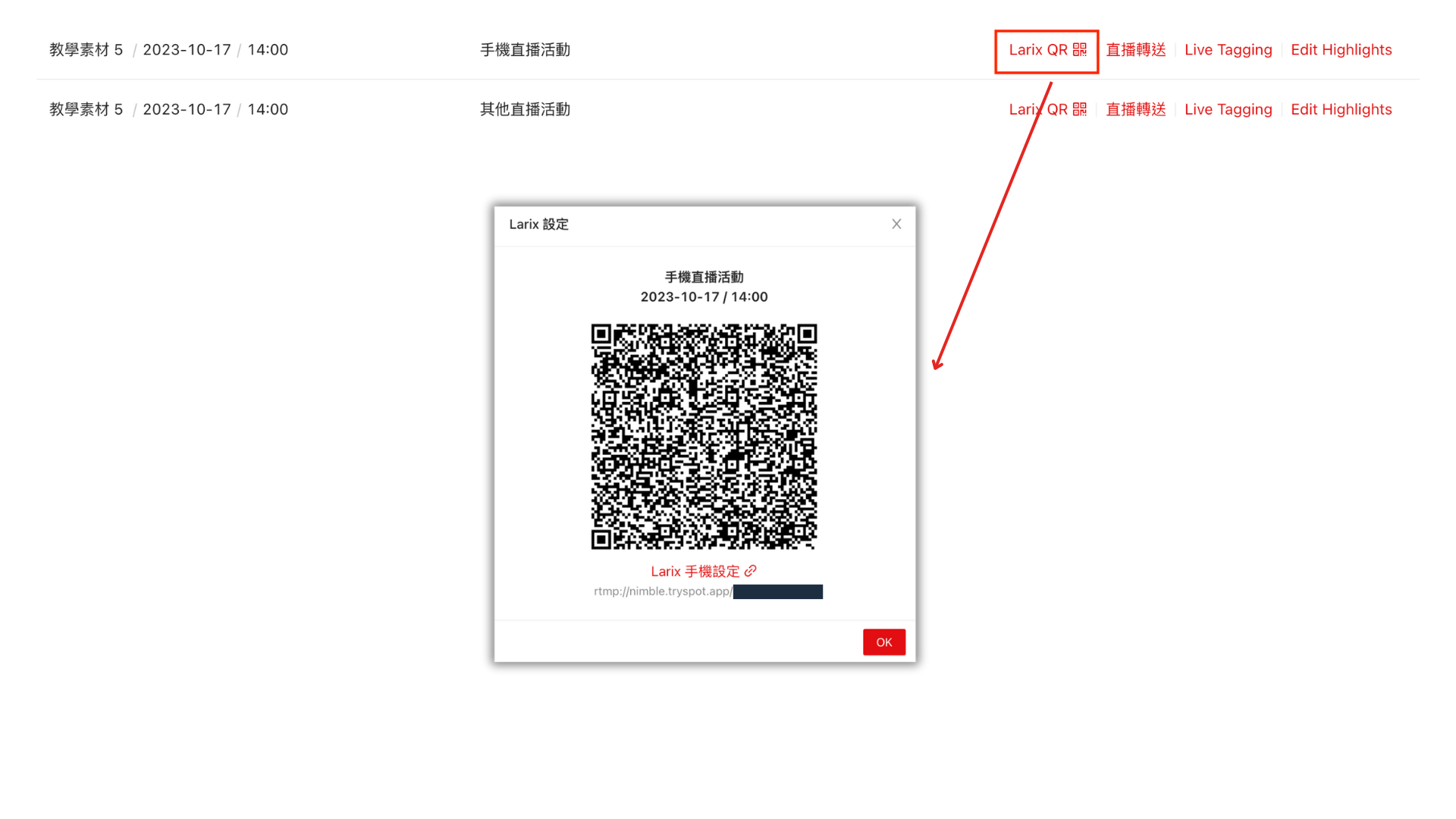
2. Open Spot QR Code and Scan or use provide QR Code
3. On Your Phone, Click "OK" to Import Settings
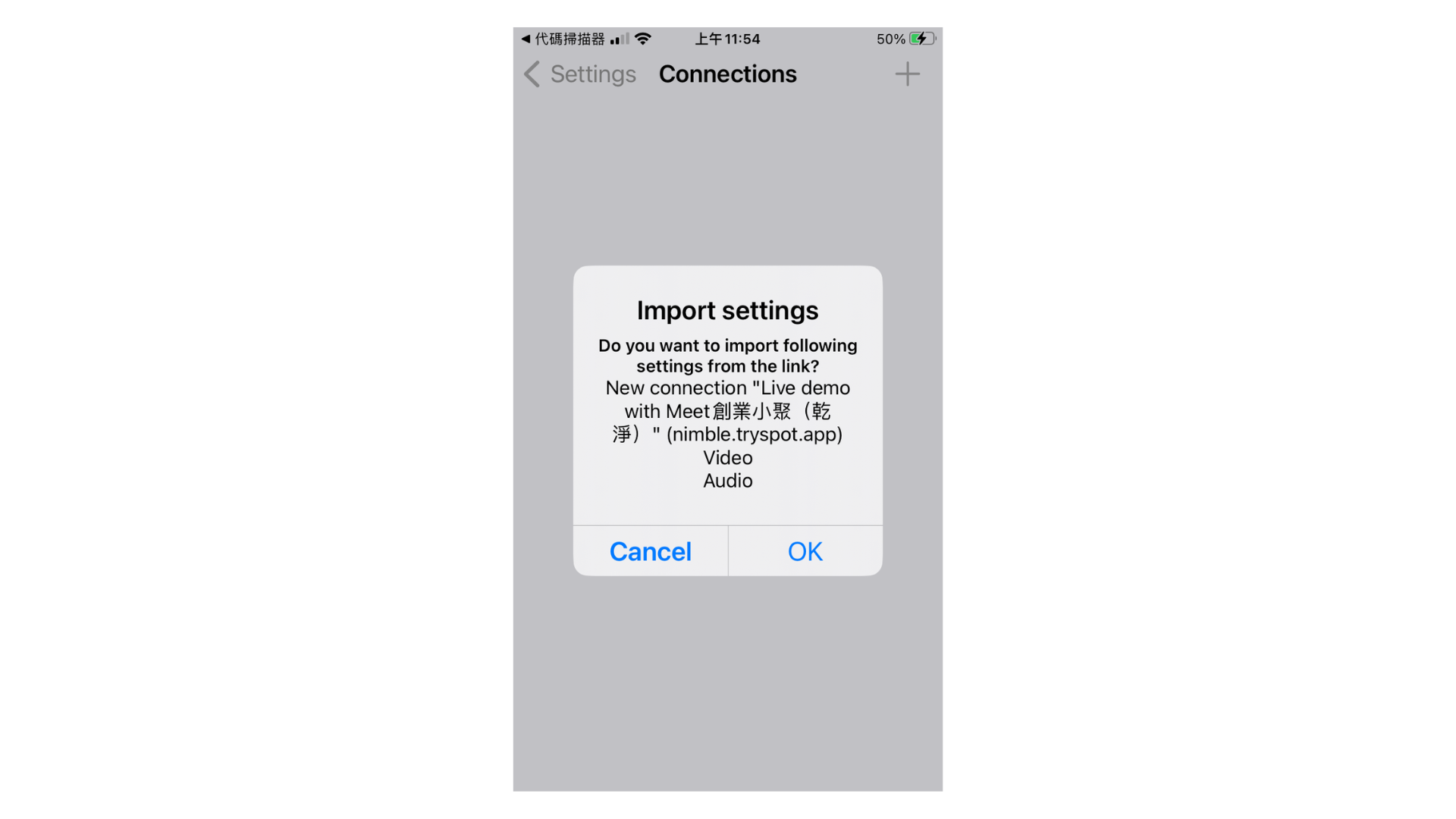
4. Confirm Import Success
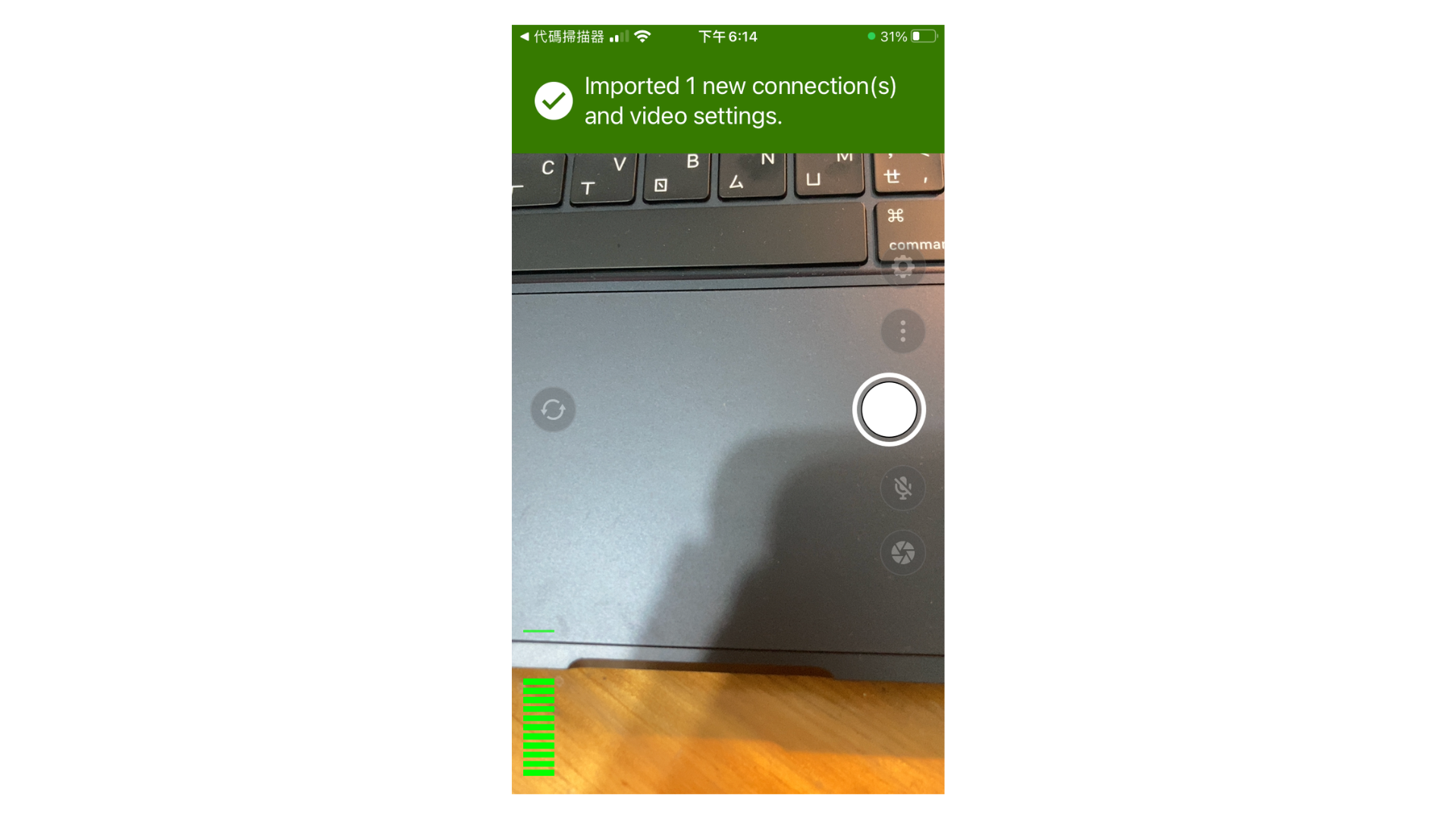

💡 Note: If the QR code does not open the Larix app directly, go to Settings > Connection and add manually.
Start Live Streaming
1. Press the "Start Stream" Button
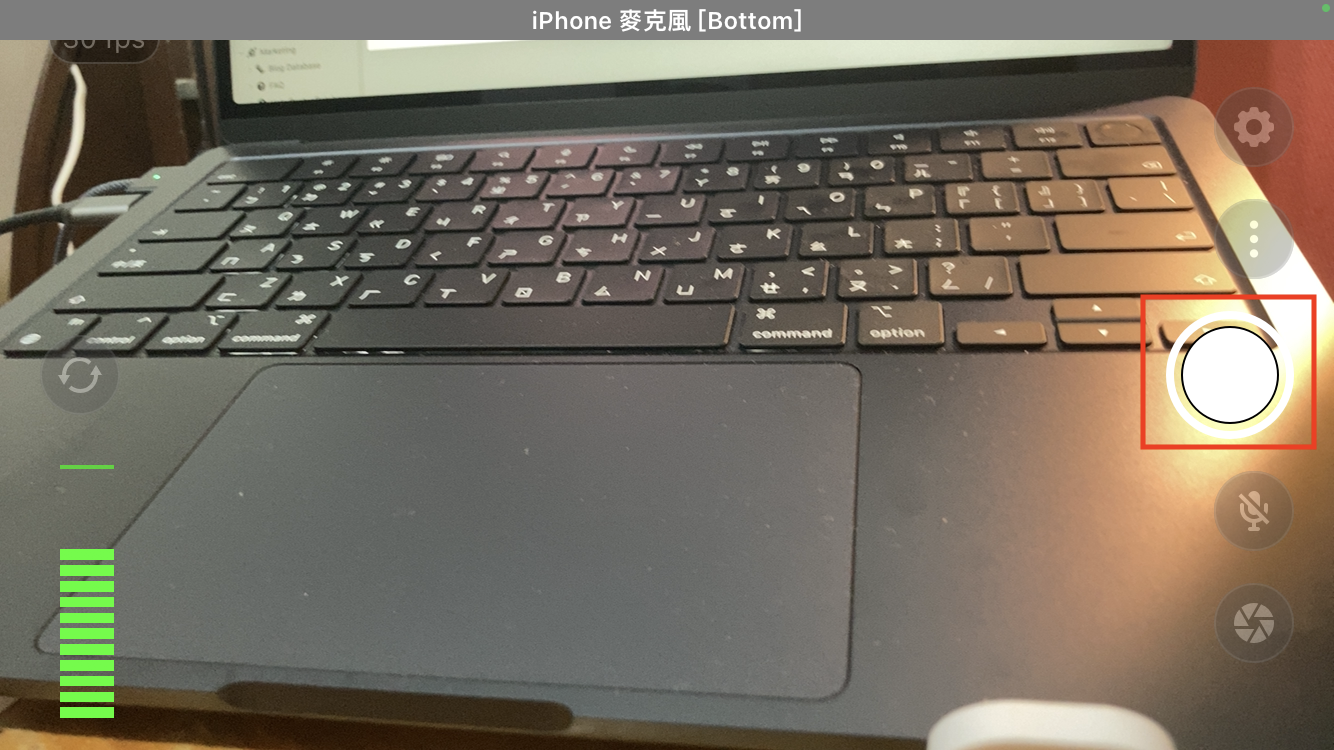
2. Confirm Streaming Has Started (button changes to pause symbol)
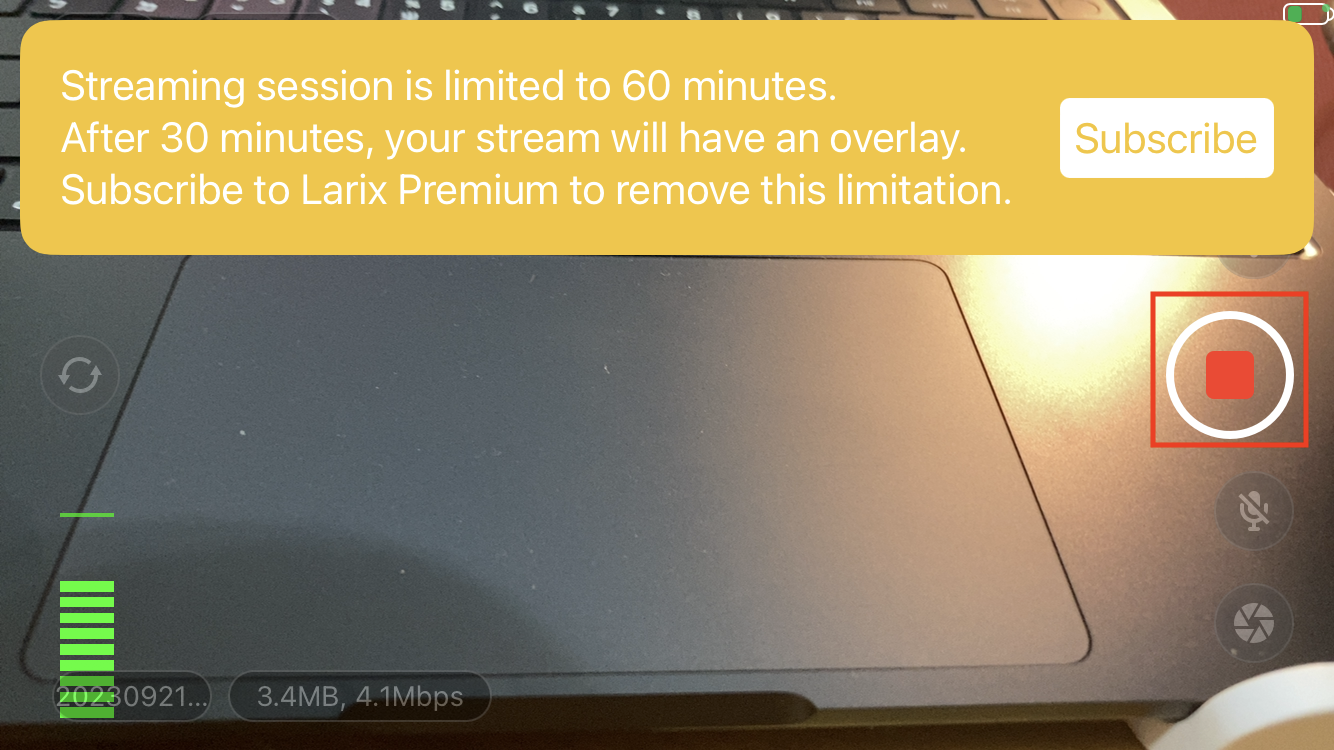
Signal Check (if no picture, disconnect the signal, wait 1 minute, and resend)
https://dashboard.tryspot.app/test-player?url=wss://nimble.tryspot.app/application/eventID_sb
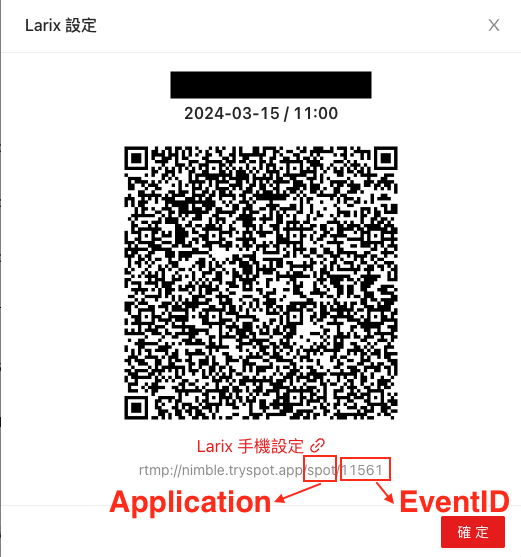
Find Application & EventID
Path: All Videos > Larix QR code