
Steps to upload PSD files
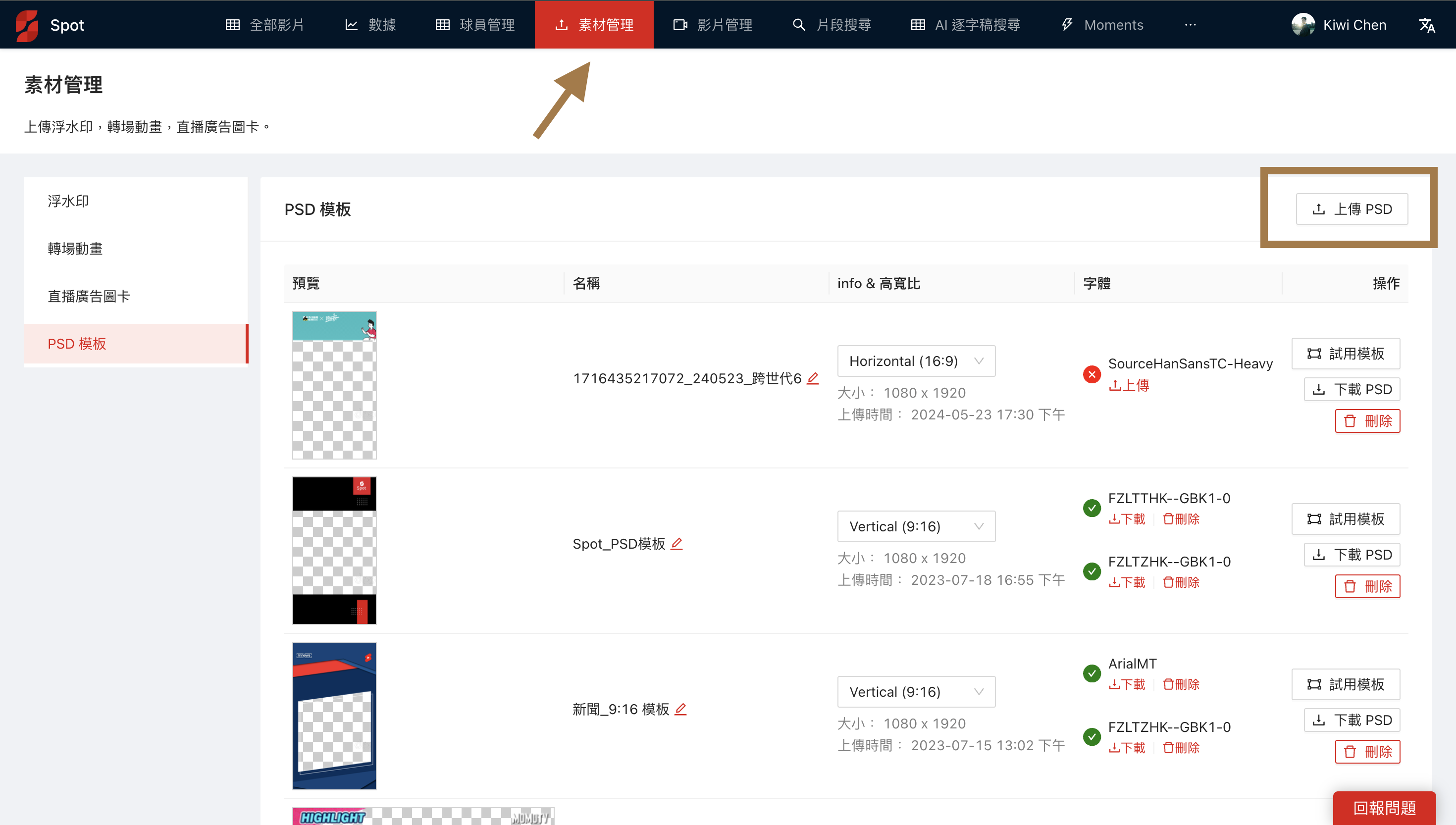
Go to the Asset Management page
Upload your finished PSD file to Spot (Notes for making PSD fileshttps://lihi.cc/WVeli)
Steps to change PSD overlays and text live
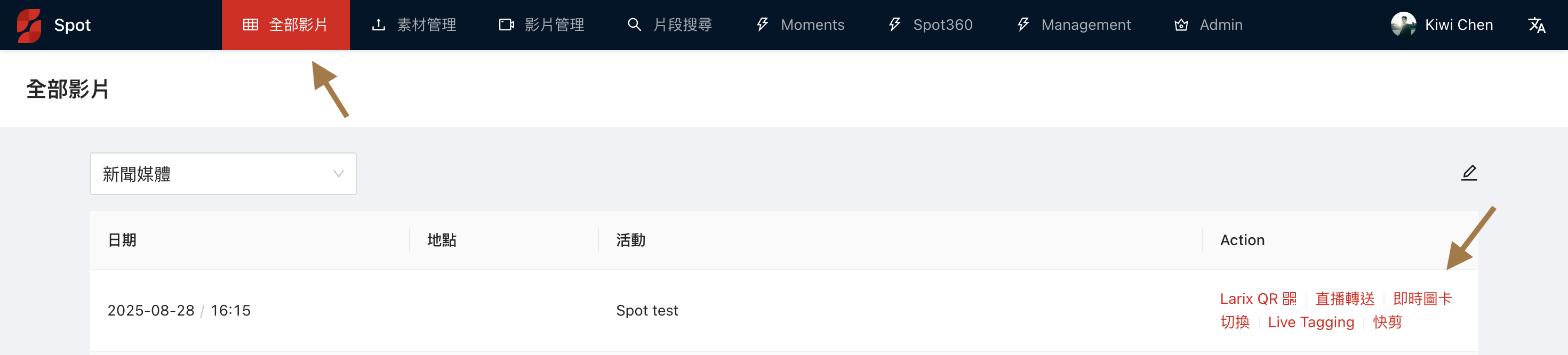
On the All Videos page, find your current live session and click on Live Overlay Switch
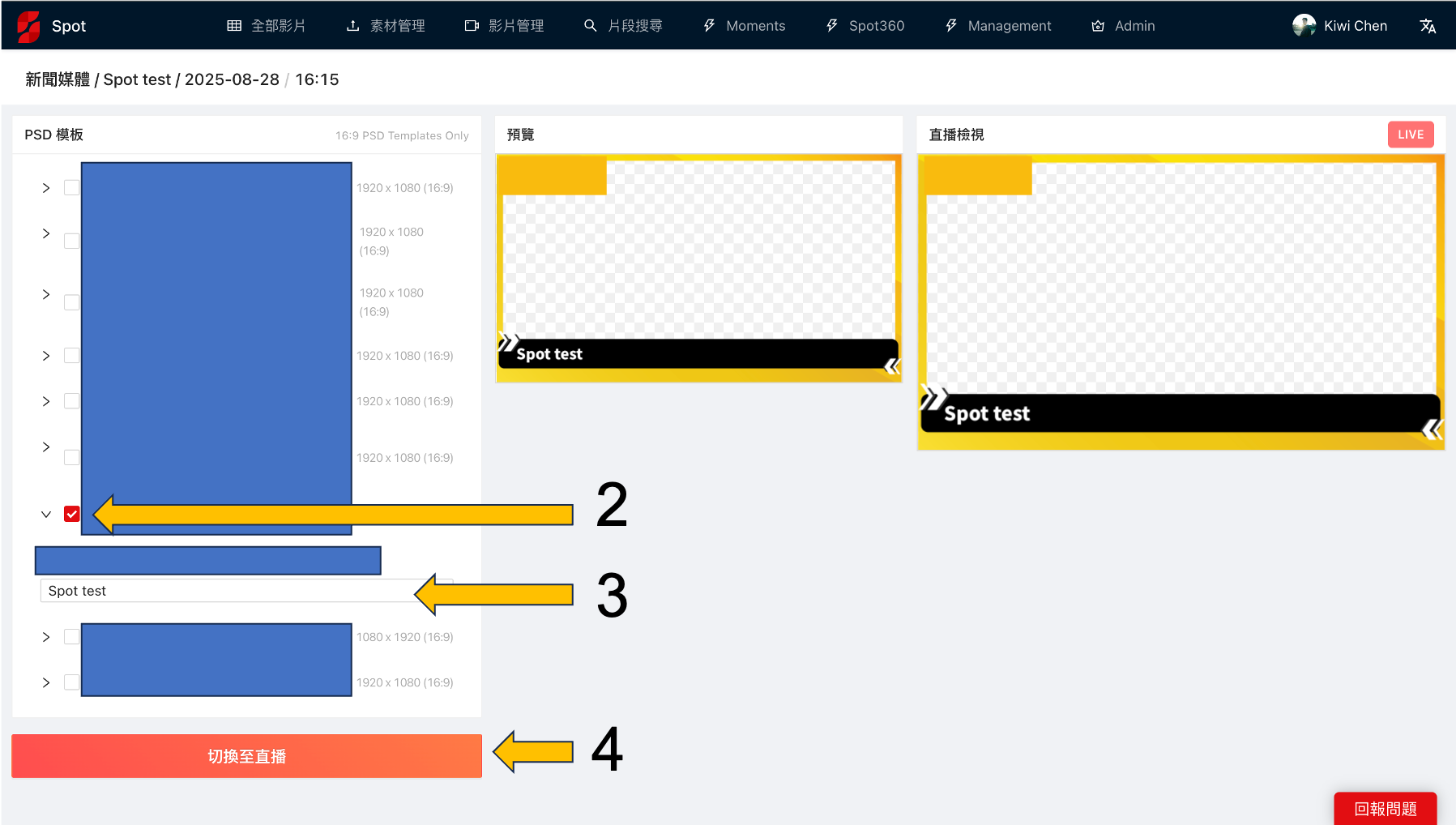
Check the overlay card you want, and you'll see it in the preview
You can type to change the title
Once your overlay is ready, hit Switch to Live and you'll see it on your stream
If you want to remove an overlay, uncheck all ✅, make sure the preview panel shows no overlay cards, and then hit Switch to Live to remove the overlay.