
Addressing user requests for range settings
1⃣ User A: Output three-point shot highlights with replays (20 seconds). However, they don't want to replace the original three-point shot clips (10 seconds).
To address this need, Spot now allows users toindependently adjust and save clip ranges, making the editing process more flexible.
🆕 New editing options: Temporary Save vs Permanent Save
In Spot's editing area, you can now choose between the followingtwo saving methods to suit your specific needs:

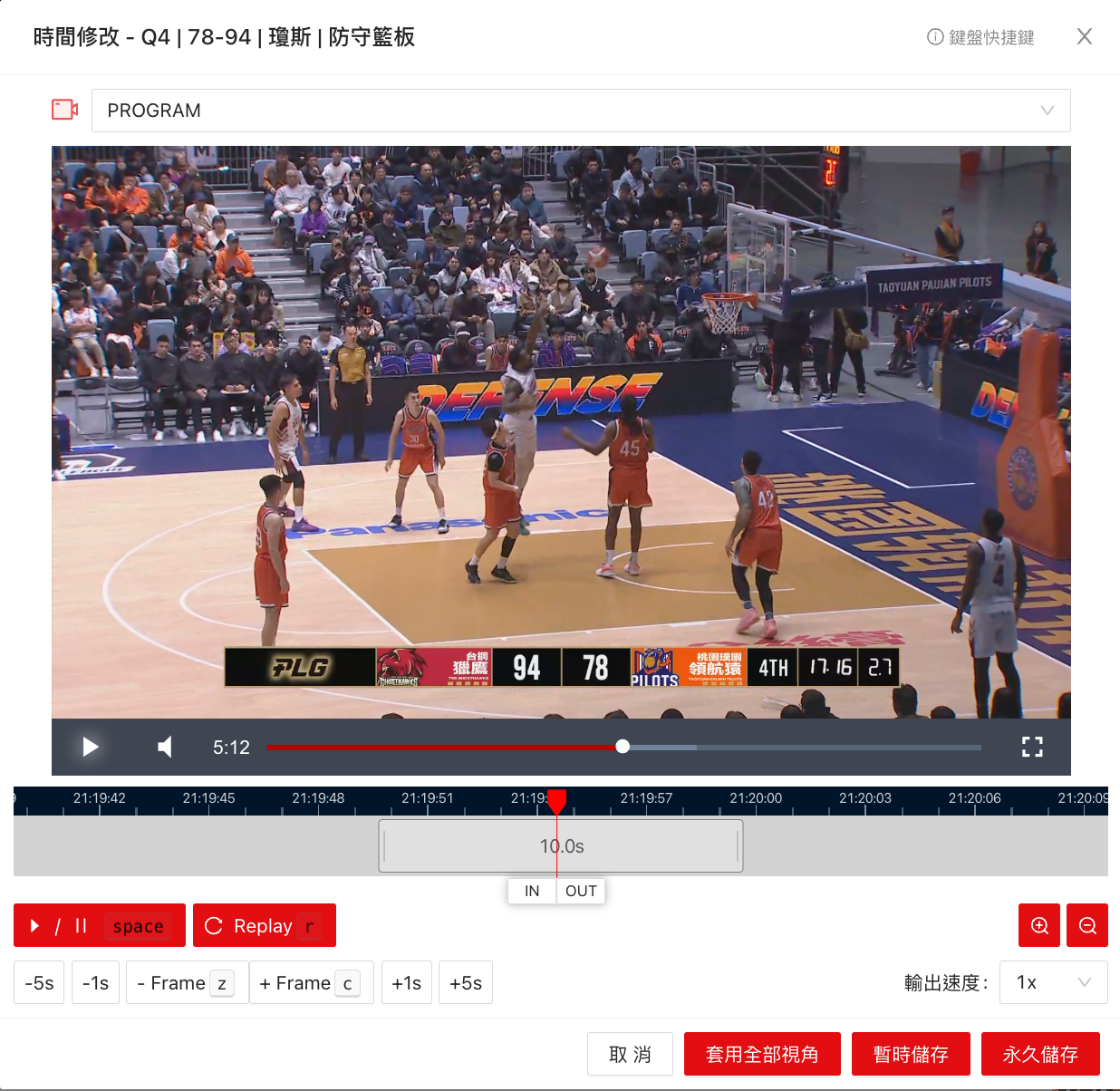
Temporary Save
• Changes will only be retained in the editor, and can still be directly exported to create videos.
• The original clip length will not be affected.
Permanent Save
• Replaces the original clip, saving the adjusted content as the final version.
• Future historical data retrieval will use this clip.
This design ensures the original clip is not affected, while providing dual flexibility for quick editing and formal saving.
🎯 Key Features
• Support multiple users to independently adjust segment ranges based on different needs.
• Avoid the risk of accidentally overwriting original segments.
• Improve editing efficiency and provide a clearer operational experience.
Experience the new features now to make your editing process smoother and more efficient!🎥✨
If you have any questions or suggestions, feel free to contact us!
Spot – making content creation smarter, more flexible, and more valuable.